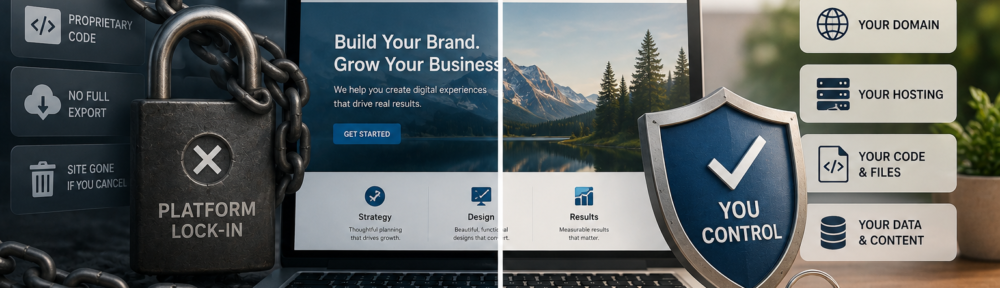
You pay your monthly fee. You drag, drop, and publish. Your site looks great. But here’s the question that keeps many business owners up at night: Do website builders own your website?
The short answer? It depends—but in most cases, no, you don’t fully own it. Not the way you might think.
When you build on platforms like Wix, Squarespace, or Framer, you’re essentially renting a digital storefront. You own your content—your text, images, and brand—but you don’t own the code, the design system, or the infrastructure that makes your site work. Cancel your subscription, and your website disappears.
This isn’t a flaw—it’s a feature. These platforms trade ownership for simplicity. But if you’re building a business asset you want to control long-term, understanding the fine print matters. Let’s break it down.
What Does “Owning Your Website” Actually Mean?
Before we dive into who owns what, let’s clarify what “owning your website” really means. It’s not one thing—it’s three separate pieces:
- The domain name – Your web address (like yourbusiness.com). This is registered through a domain registrar.
- The hosting and files – Where your site lives and the actual code, images, and databases that make it run.
- The design and code rights – Who holds the intellectual property to the layout, functionality, and custom code.
True ownership means you control all three. If any piece is tied to a third party—like a website builder platform—you don’t fully own your site.
For example:
- If your domain is registered under your designer’s account, they technically own it.
- If your site is built on Wix and you can’t export the full working code, you can’t take it elsewhere.
- If your contract doesn’t explicitly transfer code rights to you, the agency or platform may retain them.
How Website Builders Handle Ownership (And Why It Matters)
Most popular website builders operate on a proprietary, closed-system model. That means your site is built using their unique code structure, which only works on their platform. Here’s how the big players handle ownership:
Wix
- What you own: Your content (text, images, blog posts).
- What you don’t own: The site’s code, design structure, or SEO equity.
- Export options: You can export blog posts as XML, but not the full site.
- What happens if you cancel: Your site goes offline immediately. No take-backs.
Squarespace
- What you own: Your content and media files.
- What you don’t own: The underlying code or template system.
- Export options: Limited text and image export. No functional site backup.
- What happens if you cancel: Site disappears. You’d need to rebuild elsewhere.
Framer
- What you own: Your content.
- What you don’t own: Anything else. Framer doesn’t allow full site exports.
- What happens if you cancel: Poof. Gone.
WordPress (Self-Hosted)
- What you own: Everything—domain, hosting, code, design, database.
- Export options: Full site export via plugins or manual backup.
- What happens if you cancel hosting: You still own the files. Move them to a new host anytime.
Shopify (The Exception)
- What you own: Your store content, product data, and theme code (to an extent).
- What you don’t own: The Shopify platform itself.
- Export options: You can export products, customers, and theme files.
- What happens if you cancel: You lose access to the platform, but you can migrate your data.
The pattern is clear: The more control you want, the more technical responsibility you take on. Builders simplify everything—but at the cost of portability and long-term ownership.
The Hidden Costs of “Renting” Your Website
When you build on a closed platform, you’re not just paying a monthly fee. You’re also accepting some serious trade-offs:
1. Vendor Lock-In
Once you’re in, you’re stuck. Moving your site means rebuilding from scratch. That’s time, money, and lost SEO rankings.
2. Limited Customization
Builders give you templates and drag-and-drop tools—but only within their walls. Want custom functionality? You’re often out of luck.
3. SEO Limitations
Many builders restrict URL structures, meta tags, and advanced SEO features. That can cap your growth potential.
4. Rising Costs
As your site grows, so do your fees. And because you can’t leave easily, you’re at the mercy of their pricing.
5. No Real Asset
If you ever want to sell your business, a site you can’t transfer is a liability—not an asset.
So, Should You Use a Website Builder?
Here’s the thing: Website builders aren’t “bad.” They’re perfect for:
- Quick launches
- Simple portfolios or landing pages
- Users who want zero technical hassle
- Short-term projects or tests
But if you’re building a long-term business asset, ask yourself:
- Can I export my full site (not just content)?
- Do I own the domain, hosting, and code?
- Could I move this site to another host if needed?
- Is my domain registered in my name?
If the answer to any of these is “no,” you’re renting—not owning.
How to Take Back Control (If You Want To)
If you’re ready to own your site outright, here’s your roadmap:
1. Register Your Domain in Your Name
Use a registrar like Namecheap, Google Domains, or Cloudflare. Never let a designer or agency register it under their account.
2. Choose Self-Hosted WordPress (or Similar)
WordPress.org (not .com) gives you full ownership. You’ll need hosting (like SiteGround or Bluehost), but you control everything.
3. Get Everything in Writing
If you hire a designer or developer, your contract should explicitly state:
- You own the domain
- You own the hosting account
- You own all design files and custom code
- They’ll provide full access and backups
4. Backup Regularly
Use plugins or manual backups to keep copies of your site. That way, you’re never at the mercy of a platform’s uptime.
5. Audit Your Current Site
Run a quick ownership check:
- WHOIS lookup for your domain
- Log into your hosting account
- Review your contract for ownership clauses
- Try exporting your site (if possible)
Own Your Digital Real Estate
Your website is more than a pretty page—it’s your digital storefront, your 24/7 salesperson, and often your first impression. Treating it like a rental is like building your business in someone else’s building, with their rules, their rent hikes, and their ability to evict you anytime.
If you value control, flexibility, and long-term growth, aim for full ownership. That means:
- Domain in your name
- Hosting you control
- Code and design rights clearly assigned to you
If you value speed, simplicity, and zero maintenance, a builder might be fine—for now. Just know the trade-offs.
Either way, the goal is the same: Build something you truly own. Because in the digital world, ownership isn’t just a legal detail—it’s peace of mind.